How the Kyoto Tech Meetup website works
TL;DR: Astro, React, Tailwind, GitHub Actions, GitHub Pages, RSS.

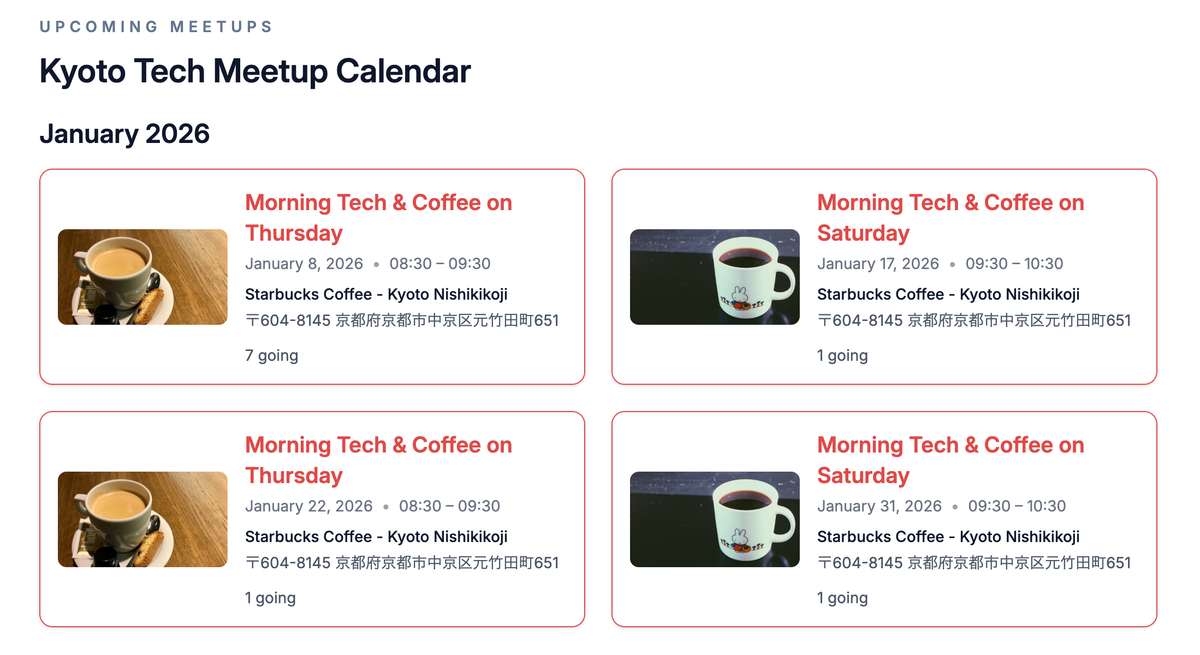
A couple of months after I started the Kyoto Tech Meetup in September last year, we already had some disparate homes and content on the web. We moved quickly from just having a Meetup.com page to also having a Discord server, a GitHub org, and content published by members of the community.
I found it hard to answer the question “where can I go to learn more about the group?”.
We needed a website, and during our first Community Hack Day, we build one that has since seen a few iterations.
The primary constraints: time and money
Since we’re a meetup group and I don’t want to charge money to join, it’s important to keep costs down as close to zero as possible.
For hosting a content-based site, my mind goes to GitHub Pages. This especially works because it’s free and, since we’re a meetup for developers, we’d eventually be collaborating on code anyways.
The other consideration is time, but not so much in terms of development time (we’d manage scope to guard against dev time bloat). Instead, my concern was more about remembering to update the site when things change, like:
- Our event schedule naturally changes over time
- Community members publish new content
I prefer a policy of “I shouldn’t have to remember to update it”.
In that situation, my mind goes to cron jobs and then, since we’re already considering GitHub Pages, to GitHub Actions.
Finally, since we’re using GitHub Pages, we’d need the site to run on static content. That means we’d need a static site generator.
These primary constraints set the context for what we built.
The bones: our tech stack
Here’s the stack we landed on:
- Astro 5: a static site generator.
- React: Astro’s official React integration
- Sitemap: Astro’s official sitemap integration
- Internationalization: Astro’s built-in i18n routing; our strings are in src/i18n/ui.ts
- Tailwind: via a Vite plugin
- GitHub Pages: for hosting.
- GitHub Actions: to build and deploy the site on a regular cadence.
For static content, Astro is my go-to that I’ve used to make:
- The website for sc0red
- The page for Subcurrent
- Not for public Collxn site, which I regularly regret
- And other projects here and there...
Even though I spend a ton of time with Next.js, I reach for Astro whenever I get the chance. I highly recommend checking it out.
The pulse: our cron job and build process
As you’ll be able to see in .github/workflows/deploy.yml, our build and deploy process runs a cron periodically (currently every 3 hours).
In accordance with our “I shouldn’t have to remember to update it” policy, the build grabs member feeds and meetup calendar so we don’t have to do it manually.
Member feeds
Member feeds get fetched because npm run build in turn runs npm run feeds:pull:stale-ok.
This custom npm script executes scripts/fetch-feeds.mjs to fetch every RSS/Atom URL in src/data/member-feeds.json, normalize and filter items, then write src/data/composite-feed.json.
If a fetch yields zero items, it falls back to the previous JSON when --stale-ok is set.
Meetup calendar
The calendar feed gets fetched because npm run build in turn runs astro build.
As part of the Astro build process, our src/components/Calendar.astro component runs a server-side fetch. This fetch gets our upcoming event data (I’m being intentionally vague here but you are welcome to go look...) and bakes it into the generated HTML/JS.
As with all Astro content, the final static output goes into a dist/ directory. That dist/ directory is what you’d see if you download the “artifact” from any given deploy.
The future and contributing
I’m really happy with this scrappy start to our site. It embodies something about the ethos of the group, including “the joy of shipping” and “smaller is better”.
You can see the see the deployed Kyoto Tech Meetup website or the GitHub repo that powers it, which I’ve referenced quite a bit in this post.
The repo is open for contributions, and we even have a few open feature issues that are up for grabs.